Short answer
What matters most
Use rules when inputs and decisions are predictable. Add AI inside a fixed workflow when documents or messages need interpretation but the next steps are known. Consider an AI agent when the next step genuinely depends on what it discovers. Choose the least autonomy that can complete the work, then define checks, permitted actions, and a human handoff.
Choose how the next step is decided
A supplier email arrives with an attachment. Someone identifies the request, checks the details, and creates a record. Calling the replacement an AI agent does not tell you whether it can finish that work or what happens when a field is missing. The useful question is where the process needs interpretation and where it needs a fixed rule.
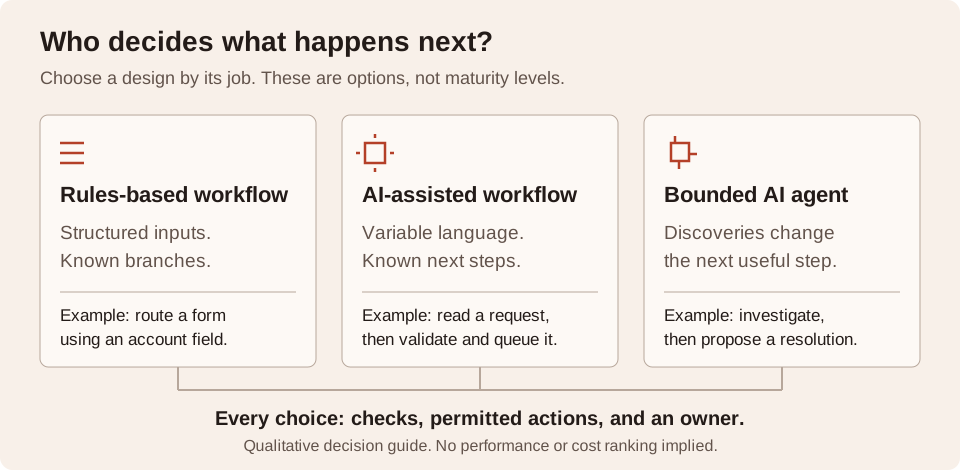
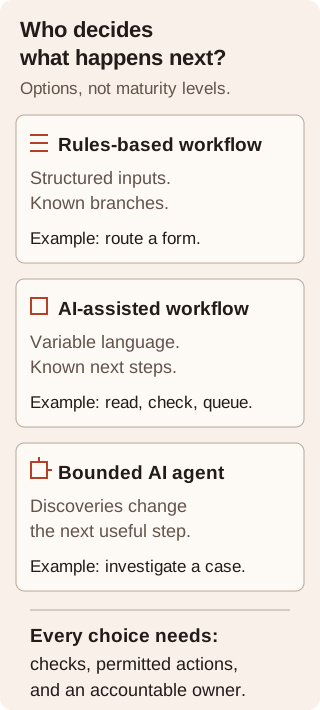
The diagram separates three possible designs. They are choices, not maturity levels: an agent is not the destination every workflow should grow toward. A single process can also combine them, with AI reading the input and ordinary software controlling the action.
What the primary evidence says
These documented capabilities help frame the decision. They do not establish which option will work for your data. The selection rules in this article are my recommendations; the notes below identify the underlying source material.
A fixed path can still use AI
Anthropic distinguishes workflows that follow predefined paths from agents whose models direct their own processes and tool use. Its 2024 guide recommends starting with the simplest useful solution. That architectural distinction remains useful without relying on its older tooling examples.
Anthropic: Building effective agentsConditions already handle known branches
Microsoft documents cloud-flow conditions that run tasks according to a true or false result. When a decision can be expressed using trusted fields and explicit rules, evaluate that existing capability before introducing model judgment.
Microsoft: Add a condition to a cloud flowNative AI may be enough
Microsoft documents prebuilt and custom AI Builder models used with Power Apps and Power Automate, including document-processing flows. If your existing platform covers the scenario, assess its fit before commissioning a separate application.
Microsoft: Overview of AI BuilderMatch the design to the uncertainty
Separate two kinds of uncertainty: understanding the input and deciding what to do next. Variable wording may justify AI extraction or classification. It does not, by itself, justify a system that chooses its own sequence of actions.
Use the matrix as a starting hypothesis, then check it against real examples. The failure column describes issues to plan for, not measured failure rates or a ranking of products.
On a small screen, scroll the table to read every column.
| Design | Choose it when | Plan for |
|---|---|---|
| Rules-based workflow | Inputs are structured and the branches can be written down. Example: route a complete form by account type. | Missing or invalid fields; rules that no longer match the business. |
| AI-assisted workflow | Language or document formats vary, but the destination and steps are known. Example: extract a supplier request, validate it, then queue a record. | Incorrect extraction; ambiguous cases; review work the team must handle. |
| Bounded AI agent | Discoveries determine the next useful step. Example: investigate a request across approved sources before proposing a resolution. | Unnecessary tool calls; incorrect next steps; cases that must stop or go to a person. |
An intake example, without extra autonomy
Consider a hypothetical operations team receiving supplier requests as emails and PDFs. The goal is a checked intake record, not a purchase approval. Every acceptable request needs a supplier reference, a request category, and supporting material. This is a design example, not a reported client engagement.
A bounded workflow could use AI to propose those fields and preserve the supporting source. Ordinary software checks that required fields are present and the supplier exists. Missing or conflicting information goes to review. The accepted record enters the designated queue; the model does not choose a new destination or authorize a purchase.
If the actual task instead requires following clues across several approved systems, the next step may vary. An agent could investigate and propose a resolution, while the business still controls the actions it may take. First show why a fixed retrieval or review path cannot handle the recurring cases. An unusual example alone is weak evidence for broader autonomy.
Check the native option before custom work
Start with the systems your team already owns. If the trigger, connectors, AI capability, review queue, and destination fit the process, a native workflow may be sufficient. Verify the model's results with representative inputs and check the platform's current availability and terms. This article does not compare licensing or promise support for a particular document format.
Custom work becomes worth evaluating when you can name a gap: an unsupported integration, an exception process the platform cannot represent, or a source-and-validation requirement it cannot meet. Write down that gap before selecting a framework. Building another application creates something your team must operate and maintain.
The trade-off is practical. A fixed path is easier to describe but can miss cases outside its rules. AI interpretation accommodates varied input but requires checks. An agent can adapt its next step but needs a clear stopping rule and evidence that this flexibility improves task completion. More freedom is useful only when the workflow benefits from it.
Write a decision brief before building
Use these prompts as a short brief for the process owner and technical lead. Keep the same representative examples when comparing designs so a polished demonstration does not become the whole decision.
- Outcome: what completed work will the owner accept, and what is outside scope?
- Input: which fields are already structured, and which require interpretation?
- Path: which steps are always known, and what discovery changes the next step?
- Boundary: what may the software propose or change, and what requires approval?
- Evidence: what results, corrections, exceptions, and operating effort will you compare?
- Fallback: who handles ambiguity, and when must the workflow stop?
Make the architecture decision concrete
Bring one workflow, representative examples, and the decision brief to the next conversation. I can help identify whether the work needs a clearer rule, a bounded AI step, or a genuinely adaptive process. The useful deliverable is a design with a specific job, explicit limits, and an owner who can judge its results.